News Center
Understanding Enterprise RAID Configurations
- hugh
In today’s data-driven business environment, storage reliability and performance are critical components of IT infrastructure. Whether supporting databases, virtualization platforms, cloud applications, or enterprise file servers, organizations depend on storage systems that can deliver both speed and fault tolerance. One of the most widely used technologies for achieving these goals is RAID.
RAID, which stands for Redundant Array of Independent Disks, is a method of combining multiple physical drives into a single logical storage unit. By distributing data across several disks, RAID can improve performance, increase storage capacity, provide redundancy, or achieve a combination of these benefits.
For IT administrators, system integrators, and enterprise decision-makers, understanding RAID configurations is essential when designing storage solutions. Choosing the wrong RAID level can result in poor performance, reduced capacity utilization, or increased risk of data loss. This article explores the most common enterprise RAID configurations, their advantages and disadvantages, and the best use cases for each.
What Is RAID?
RAID technology was originally developed to improve storage performance while reducing the risk of data loss caused by drive failures. Instead of storing all data on a single disk, RAID distributes information across multiple drives according to a specific configuration known as a RAID level.
Most enterprise storage systems utilize hardware RAID controllers, software RAID implementations, or integrated RAID functionality within modern server platforms. Depending on the RAID level selected, the system may use techniques such as:
- Data striping
- Disk mirroring
- Parity calculations
- Distributed redundancy
Each method offers different trade-offs between performance, capacity, and fault tolerance.
Why RAID Matters in Enterprise Environments
Enterprise applications often require continuous access to data. A single drive failure in a non-RAID environment can lead to downtime, data loss, and costly recovery procedures.
RAID helps organizations achieve:
Improved Availability
By maintaining redundant copies of data or parity information, RAID allows systems to continue operating even when one or more drives fail.
Enhanced Performance
Certain RAID levels distribute data across multiple disks, enabling simultaneous read and write operations that significantly improve throughput.
Scalability
RAID arrays allow businesses to combine multiple drives into a larger logical volume, simplifying storage management and expansion.
Data Protection
Redundancy mechanisms provide an additional layer of protection against hardware failures.
However, it’s important to understand that RAID is not a backup solution. While RAID protects against disk failures, it does not safeguard against accidental deletion, malware, ransomware, or site-wide disasters.
RAID 0: Maximum Performance
RAID 0 uses a technique called striping. Data is divided into blocks and distributed across multiple drives.
How It Works
If a RAID 0 array consists of four drives, data blocks are written across all four disks simultaneously.
Advantages
- Excellent read performance
- Excellent write performance
- Full utilization of storage capacity
- No parity overhead
Disadvantages
- No redundancy
- No fault tolerance
- Failure of a single drive results in complete data loss
Enterprise Use Cases
RAID 0 is rarely used for mission-critical enterprise workloads. However, it may be suitable for:
- Temporary data processing
- Video rendering
- High-performance scratch storage
- Scientific computing environments
Because there is no protection against drive failures, RAID 0 should never be used for critical business data.
RAID 1: Simple Mirroring
RAID 1 creates an exact copy of data on two or more drives.
How It Works
Every piece of data written to the primary drive is simultaneously written to the mirrored drive.
Advantages
- Excellent data protection
- Fast read performance
- Simple recovery process
- High availability
Disadvantages
- Only 50% storage efficiency
- Higher storage costs per usable gigabyte
Enterprise Use Cases
RAID 1 is commonly used for:
- Operating system volumes
- Critical application servers
- Small database systems
- Boot drives in enterprise servers
Many organizations deploy RAID 1 for server operating systems while using other RAID levels for data storage.
RAID 5: Balancing Performance and Capacity
RAID 5 remains one of the most popular RAID configurations in enterprise environments.
How It Works
RAID 5 uses block-level striping with distributed parity. Parity information is spread across all drives in the array.
A minimum of three drives is required.
Advantages
- Good storage efficiency
- Protection against a single drive failure
- Improved read performance
- Cost-effective solution
Disadvantages
- Slower write performance due to parity calculations
- Long rebuild times with large-capacity drives
- Increased risk during rebuild operations
Enterprise Use Cases
RAID 5 is often used for:
- File servers
- Archive storage
- Application servers
- Moderate-performance workloads
While RAID 5 remains widely deployed, many organizations are moving toward RAID 6 because of increasing drive capacities and longer rebuild times.
RAID 6: Enhanced Fault Tolerance
RAID 6 builds upon RAID 5 by adding a second parity block.
How It Works
Instead of tolerating only one drive failure, RAID 6 can withstand the failure of two drives simultaneously.
A minimum of four drives is required.
Advantages
- Protection against dual-drive failures
- Better reliability for large arrays
- Suitable for high-capacity storage systems
Disadvantages
- Lower write performance than RAID 5
- Reduced usable storage capacity
- More complex parity calculations
Enterprise Use Cases
RAID 6 is frequently deployed in:
- Enterprise NAS systems
- Backup repositories
- Large file servers
- Long-term storage platforms
Organizations storing hundreds of terabytes often prefer RAID 6 because it significantly reduces the risk of data loss during rebuild operations.
RAID 10: Performance Meets Redundancy
RAID 10 (sometimes written as RAID 1+0) combines the benefits of RAID 1 and RAID 0.
How It Works
Data is mirrored between drive pairs and then striped across those mirrored sets.
A minimum of four drives is required.
Advantages
- Outstanding read performance
- Excellent write performance
- Strong fault tolerance
- Fast rebuild times
Disadvantages
- 50% storage efficiency
- Higher hardware costs
Enterprise Use Cases
RAID 10 is considered one of the best choices for performance-critical enterprise workloads, including:
- Database servers
- Virtualization clusters
- Transaction processing systems
- High-performance applications
- Financial systems
Many enterprise administrators view RAID 10 as the optimal balance between speed and reliability.
RAID 50: Large-Scale RAID 5 Performance
RAID 50 combines multiple RAID 5 arrays with striping.
Advantages
- Better performance than RAID 5
- Improved fault tolerance
- Increased scalability
Disadvantages
- More complex implementation
- Higher hardware requirements
Enterprise Use Cases
RAID 50 is suitable for:
- Large enterprise storage arrays
- High-throughput file servers
- Data analytics environments
Organizations requiring both capacity and performance often choose RAID 50 for large-scale deployments.
RAID 60: Maximum Protection for Large Arrays
RAID 60 combines multiple RAID 6 groups with striping.
Advantages
- Exceptional fault tolerance
- Supports multiple simultaneous drive failures
- Suitable for very large storage systems
Disadvantages
- Reduced usable capacity
- Higher computational overhead
Enterprise Use Cases
RAID 60 is frequently found in:
- Enterprise storage appliances
- Data centers
- Cloud infrastructure
- Mission-critical storage systems
For organizations where uptime and data protection are top priorities, RAID 60 provides one of the highest levels of storage resilience available.
RAID Rebuild Considerations
When a drive fails, the RAID controller rebuilds the missing data onto a replacement disk.
Modern enterprise drives often exceed 18TB, 22TB, or even 30TB in capacity. Rebuilding such large drives can take many hours or even days.
During rebuild operations:
- Performance may decrease
- Additional drive failures become more dangerous
- The array remains in a vulnerable state
This is one reason why many organizations prefer RAID 6 or RAID 10 over RAID 5 for modern storage environments.
Hardware RAID vs. Software RAID
Hardware RAID
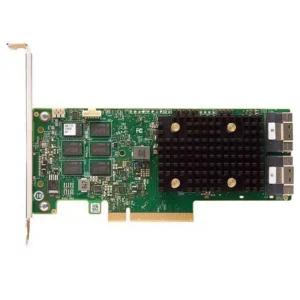
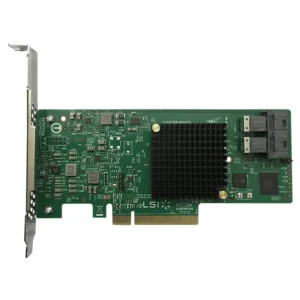
Hardware RAID uses a dedicated RAID controller equipped with its own processor and memory.
Benefits include:
- Lower CPU utilization
- Better performance
- Battery-backed cache protection
- Advanced management features
Software RAID
Software RAID relies on the operating system to manage RAID functions.
Benefits include:
- Lower hardware costs
- Greater flexibility
- Easier migration in some environments
Enterprise servers typically use hardware RAID for production workloads where performance and reliability are critical.
Choosing the Right RAID Level
Selecting the best RAID configuration depends on several factors:
Prioritize Performance
Choose RAID 10 when applications require maximum I/O performance and low latency.
Prioritize Capacity
Choose RAID 5 or RAID 6 when maximizing usable storage capacity is important.
Prioritize Reliability
Choose RAID 6 or RAID 60 for environments where data protection is the primary concern.
Prioritize Cost Efficiency
RAID 5 remains attractive for budget-conscious deployments, although organizations should carefully evaluate rebuild risks.
Final Thoughts
RAID remains a foundational technology in enterprise storage architecture. Understanding how different RAID levels balance performance, capacity, and fault tolerance is essential for designing reliable infrastructure.
While RAID 0 offers maximum speed and RAID 1 provides simple redundancy, enterprise environments typically rely on RAID 5, RAID 6, RAID 10, RAID 50, or RAID 60 depending on workload requirements. As storage capacities continue to grow and downtime becomes increasingly costly, selecting the appropriate RAID configuration has never been more important.
By carefully evaluating business objectives, workload characteristics, recovery requirements, and budget constraints, organizations can deploy RAID solutions that deliver the performance, availability, and data protection necessary for modern enterprise operations.
Share To:
Related Products